We Built a Keyword Management Tool for Domain Investors — Here’s What It Can Do
Hey everyone,
I want to share something we’ve been quietly building at AvocadoDomains — a keyword management tool designed specifically for domain investors.
It Starts With Keywords
Ask any serious domain investor what their real edge is, and if they’re being honest, a big part of the answer is their keyword list. Not a generic CSV pulled from some SEO tool — but a personal, curated set of words they actually believe in. Words sorted by role: what works up front, what lands well at the end, what signals value to a buyer in a specific industry. That kind of list takes real time to build, and it compounds in value the longer you work with it.
We built our keyword tool to be a proper home for that list.
Keyword Management: The Core
At its heart, AvocadoDomains gives you a structured workspace to organize your keywords across four dimensions:
- Prefix — words that lead well (e.g. get, best, smart)
- Suffix — words that close well (e.g. hub, app, labs)
- Category — industry or thematic groupings (e.g. Finance, Health, Tech)
- Tag — your own flexible labels for personal workflows
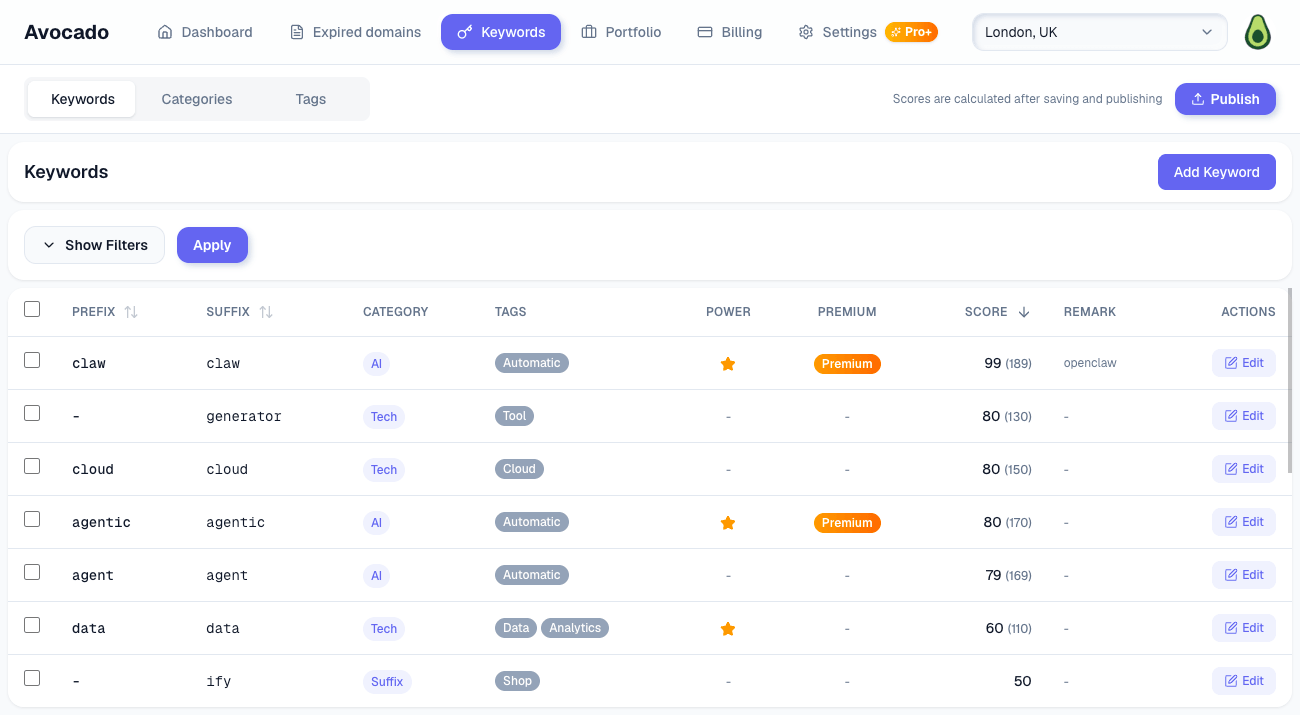
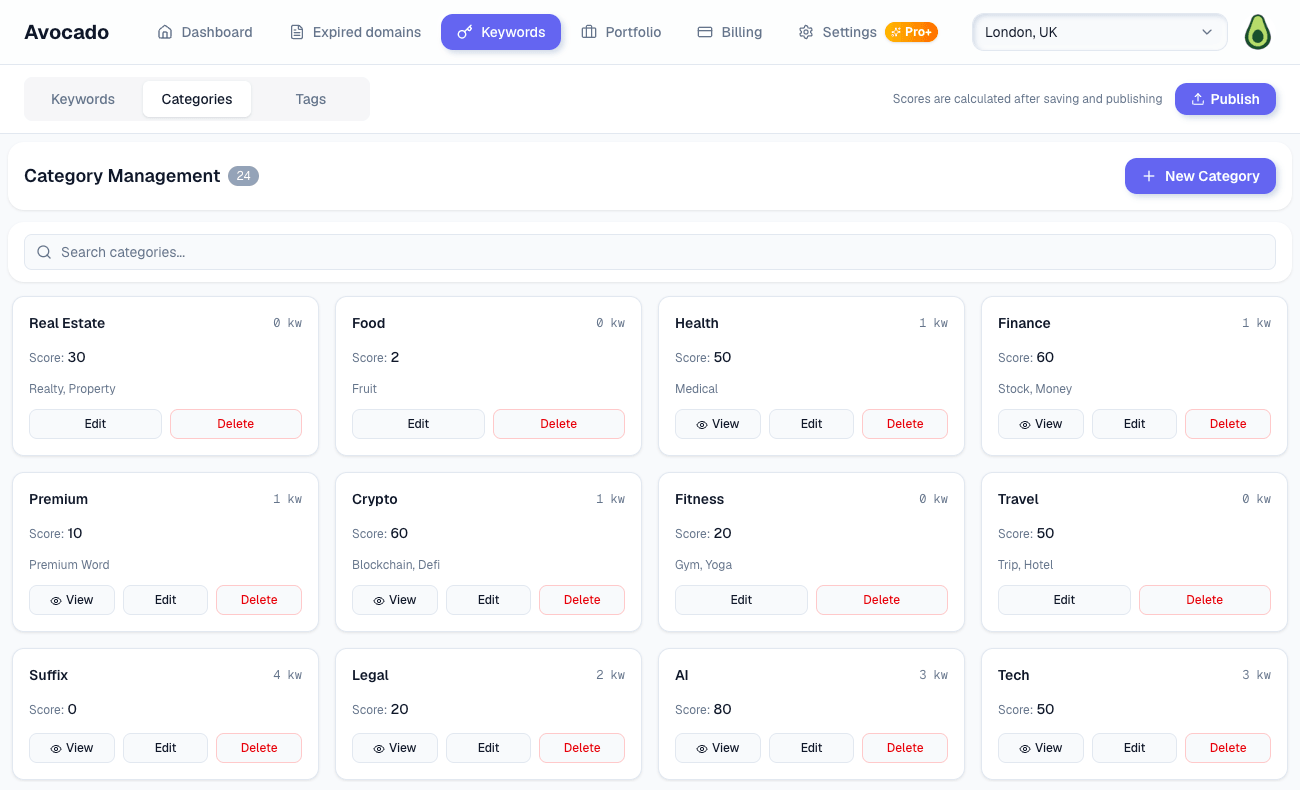
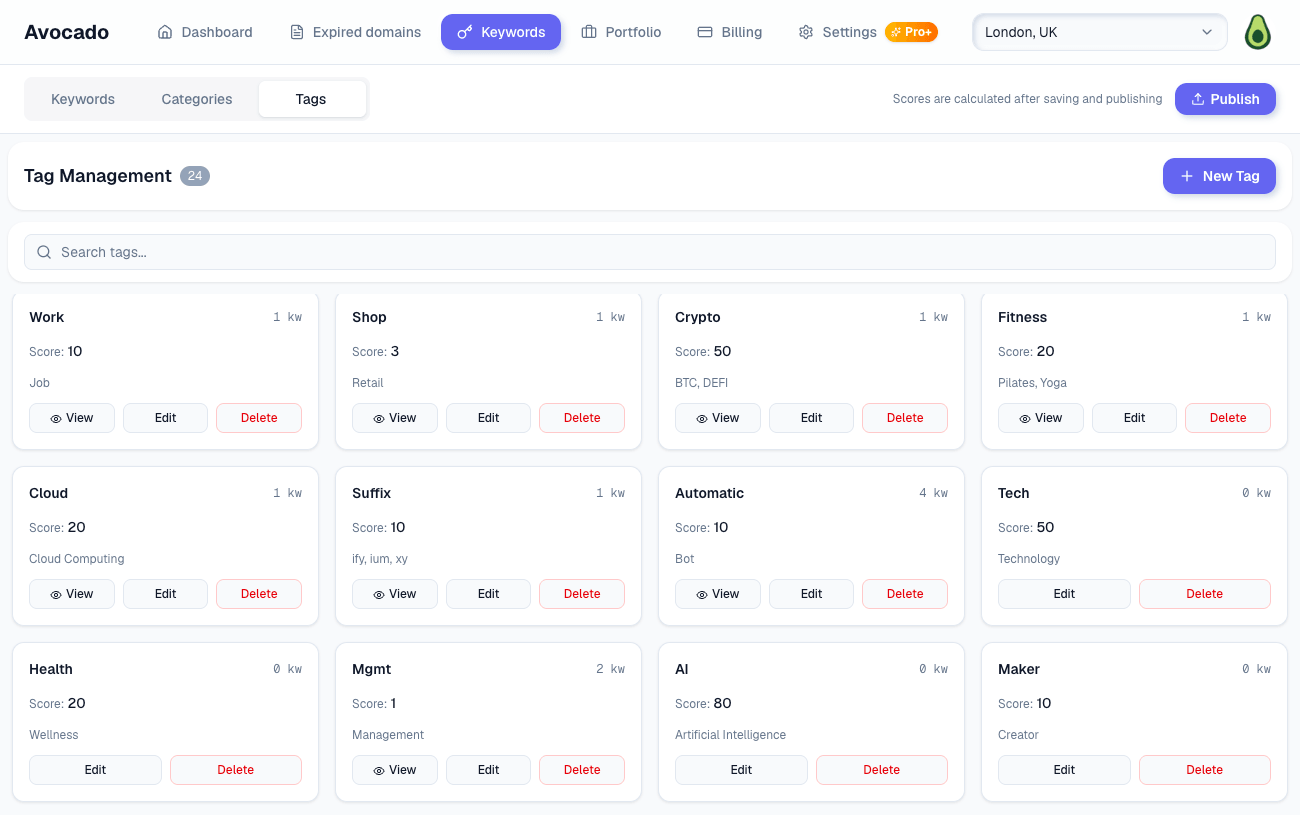
Free accounts get 1,000 keyword slots — more than enough to get started and feel out the system.
Domain Batch Generator
Once your keywords are in, you can put them to work immediately.
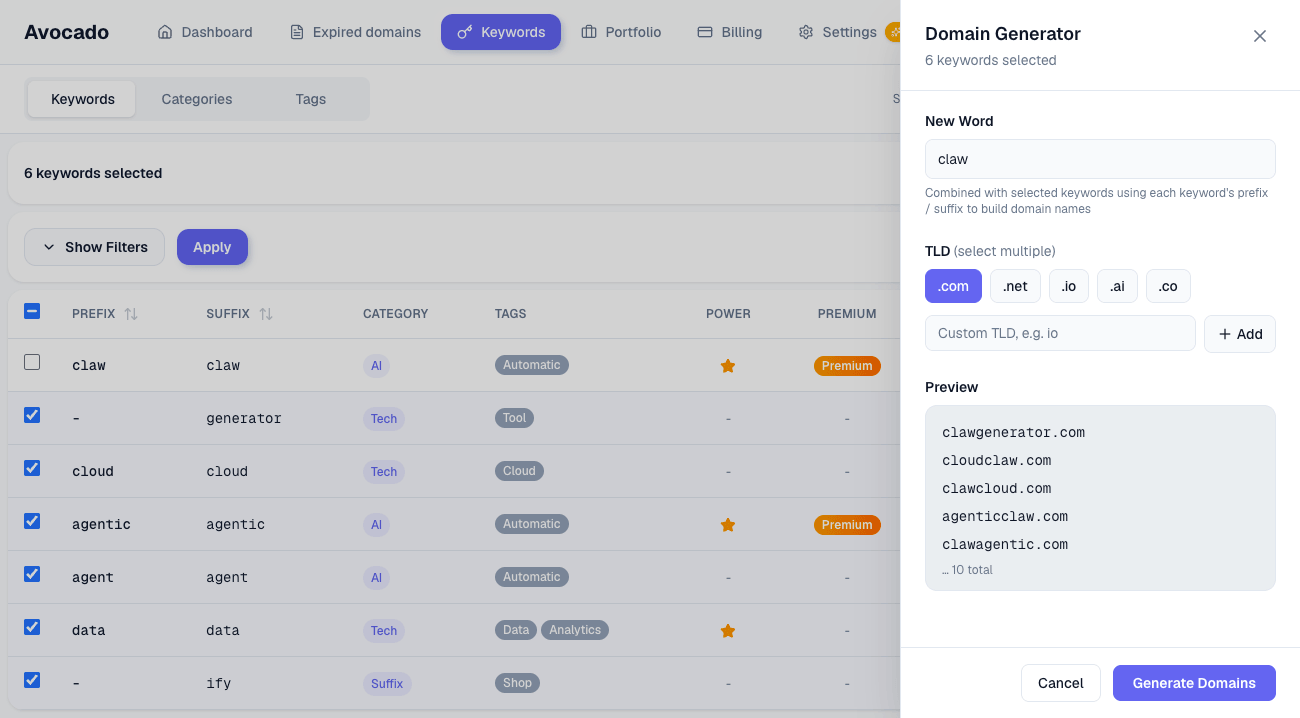
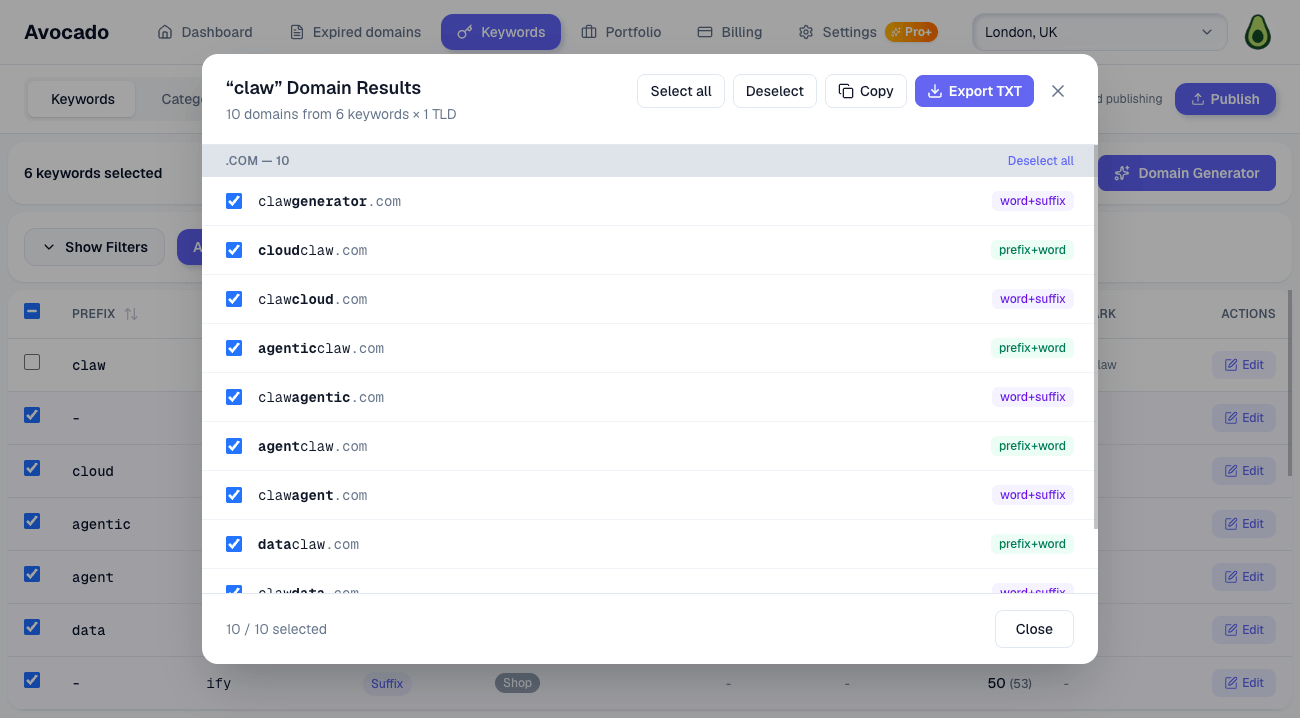
Select a set of keywords, add new root words or combining terms, pick your target extensions (.com, .io, .ai, etc.), and generate a batch of domain candidates in one go.
Say you’re tracking the agentic AI wave and want to pair it with strong action words. Feed in claw, agentic, agent as your root terms, combine with suffixes like hub, labs, base, and generate across .com, .ai, .io in seconds. Instead of brainstorming one domain at a time, you get a structured list ready for availability checks — a fast way to ride a trend before the window closes.
“Why Not Just Use Excel?”
Fair question. Excel is free, unlimited, and you probably already have it open.
For storing a list of words? Absolutely, Excel works fine. But the moment you want your keyword list to do something — to reach into live auction domains, score them against your personal criteria, and surface the ones worth your attention — that’s where a spreadsheet hits a wall.
Here’s what Excel can’t do:
The Scoring Engine
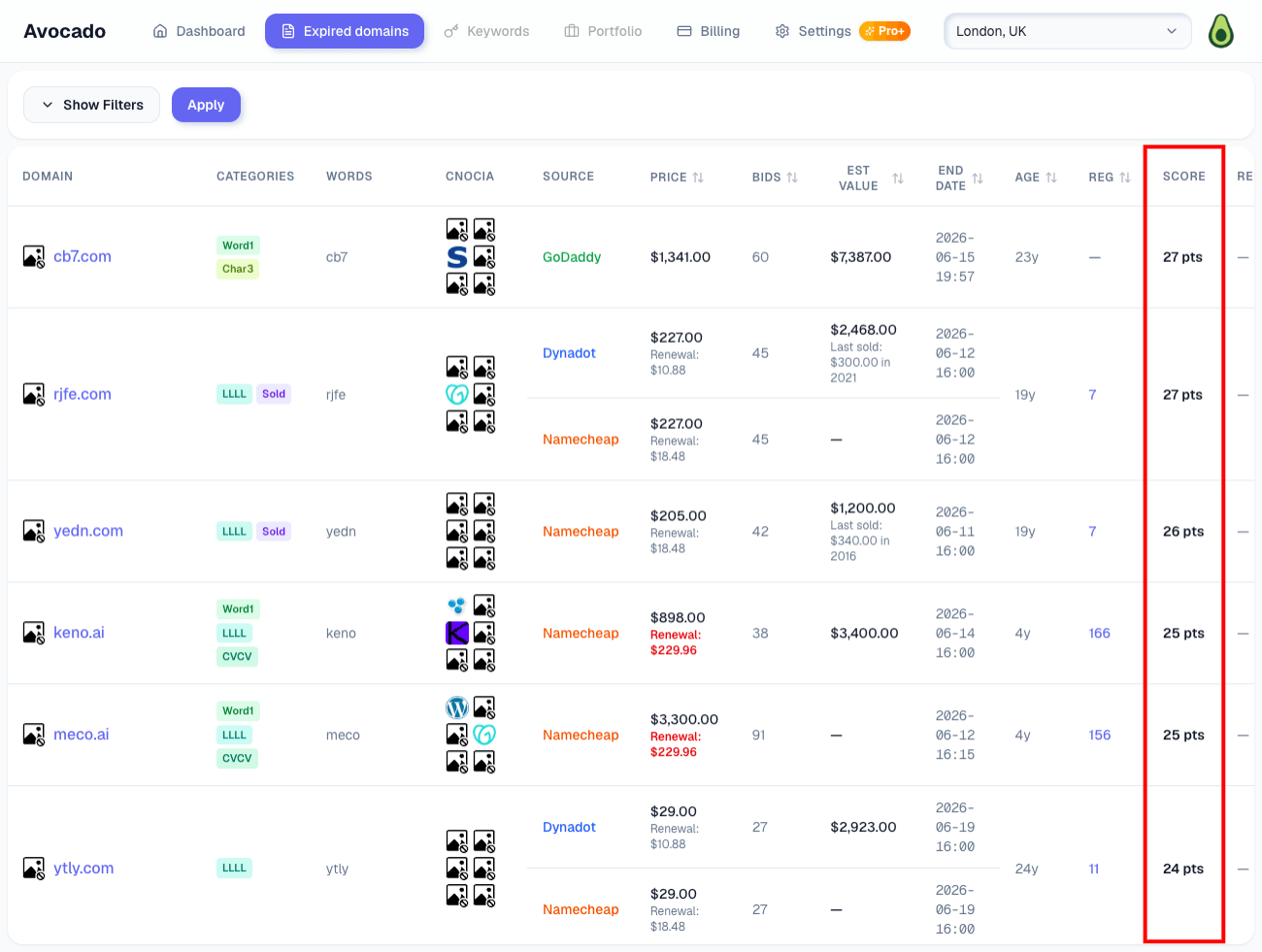
Once you upgrade, your keyword list gets activated as a scoring engine. Every domain in our database — today’s auctions, plus the next 7 days of expiring domains — gets automatically scored and ranked based on your personal rules. That’s over 1 million domains ordered by what you care about, not a generic algorithm.
The goal is simple: stop scrolling, stop straining your eyes, stop missing hidden gems. The higher the score, the higher it floats. Your next great find comes to you.
None of that happens in a spreadsheet.
Scoring Dimensions
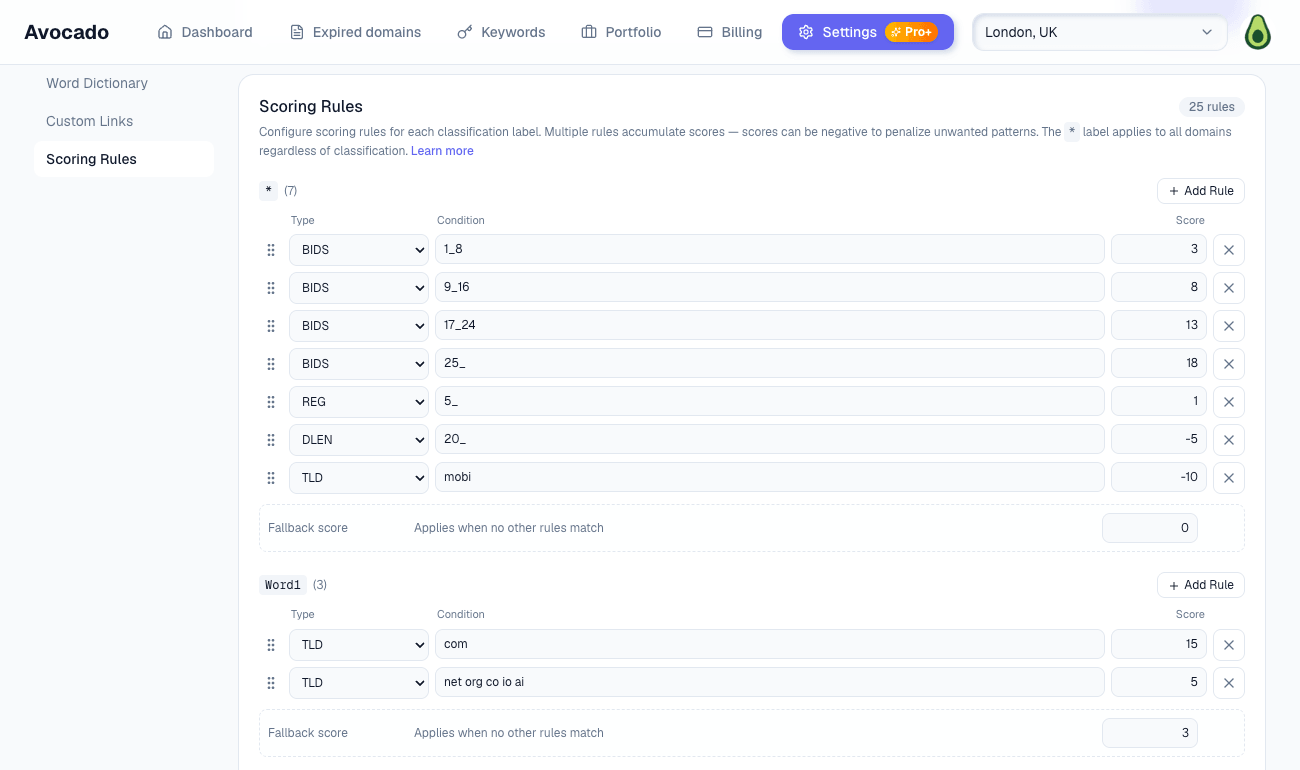
You define the rules. The engine scores on multiple dimensions:
Domain attributes
len— domain character lengthage— how old the domain isreg— tld reg countbids— auction bid countprice— current or asking pricelast_sold— previous sale price- More attributes in active development
Keyword matching
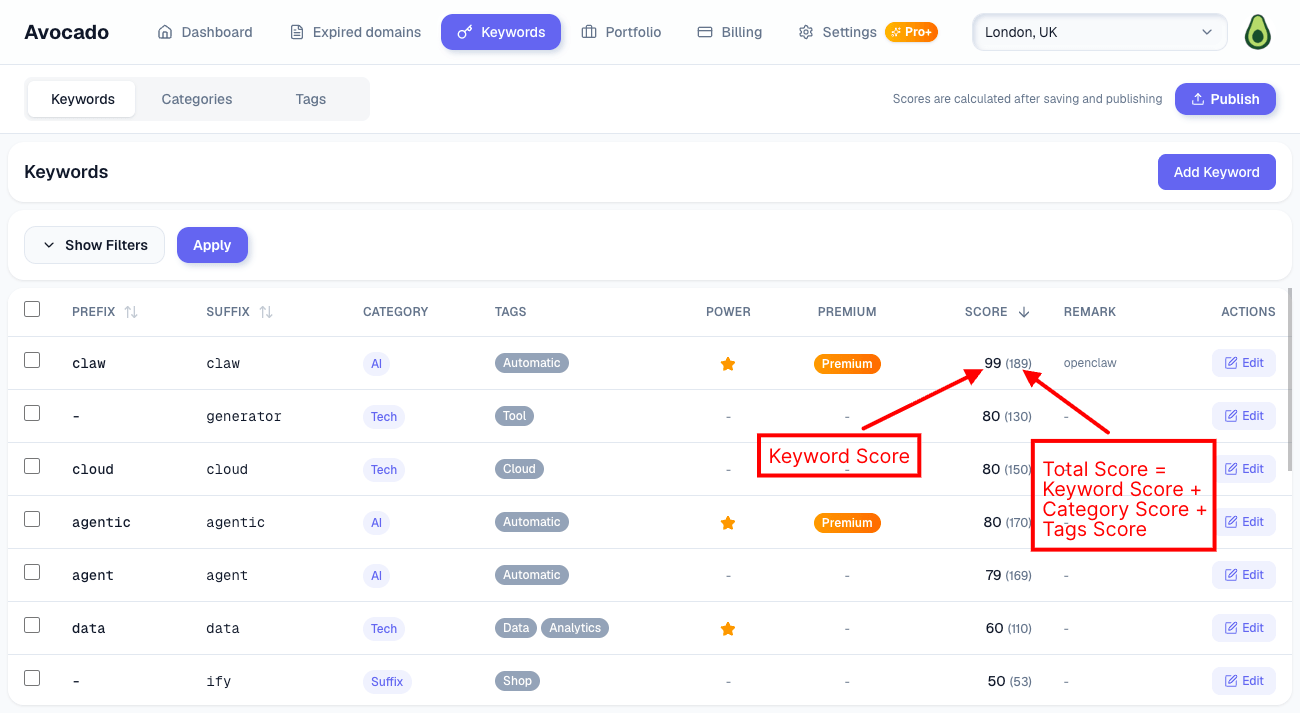
When a domain’s words (after segmentation) match terms in your keyword list, it earns points. For example, if health is in your list, healthylife.com gets scored up automatically.
Category & tag scoring Not just keywords — your category labels score too. Looking for finance-related domains? Tag “Finance” as high-value and every domain carrying that classification gets a boost.
A Note on Domain Segmentation
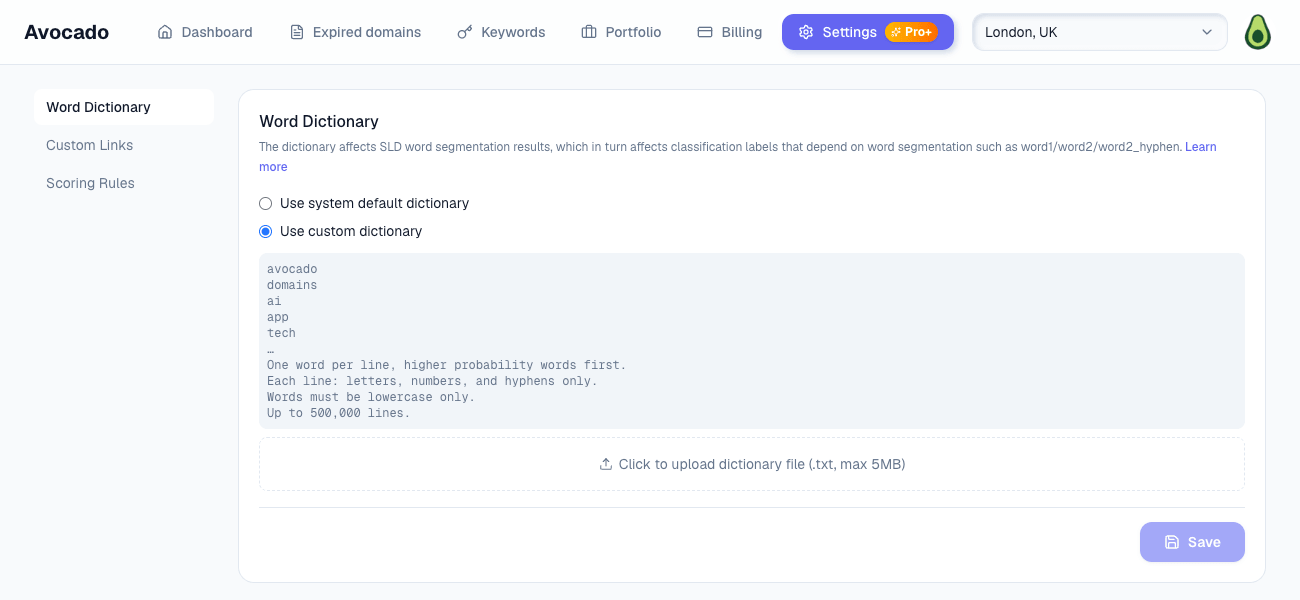
Breaking bestrunningshoes.com into best / running / shoes sounds simple — it isn’t. Generic segmenters frequently mangle industry terms, brand words, and niche vocabulary.
Upgraded accounts can upload a custom dictionary to improve segmentation accuracy. And it’s not limited to a single language or vocabulary type. You can mix English and other languages in the same dictionary, throw in industry acronyms, abbreviations, emerging slang, or trending terms like agentic or defi — anything that a standard dictionary wouldn’t catch but your investment strategy depends on. The more your dictionary reflects how you actually think about domains, the sharper the matches.
Favicon History: See the Story Behind Each Domain
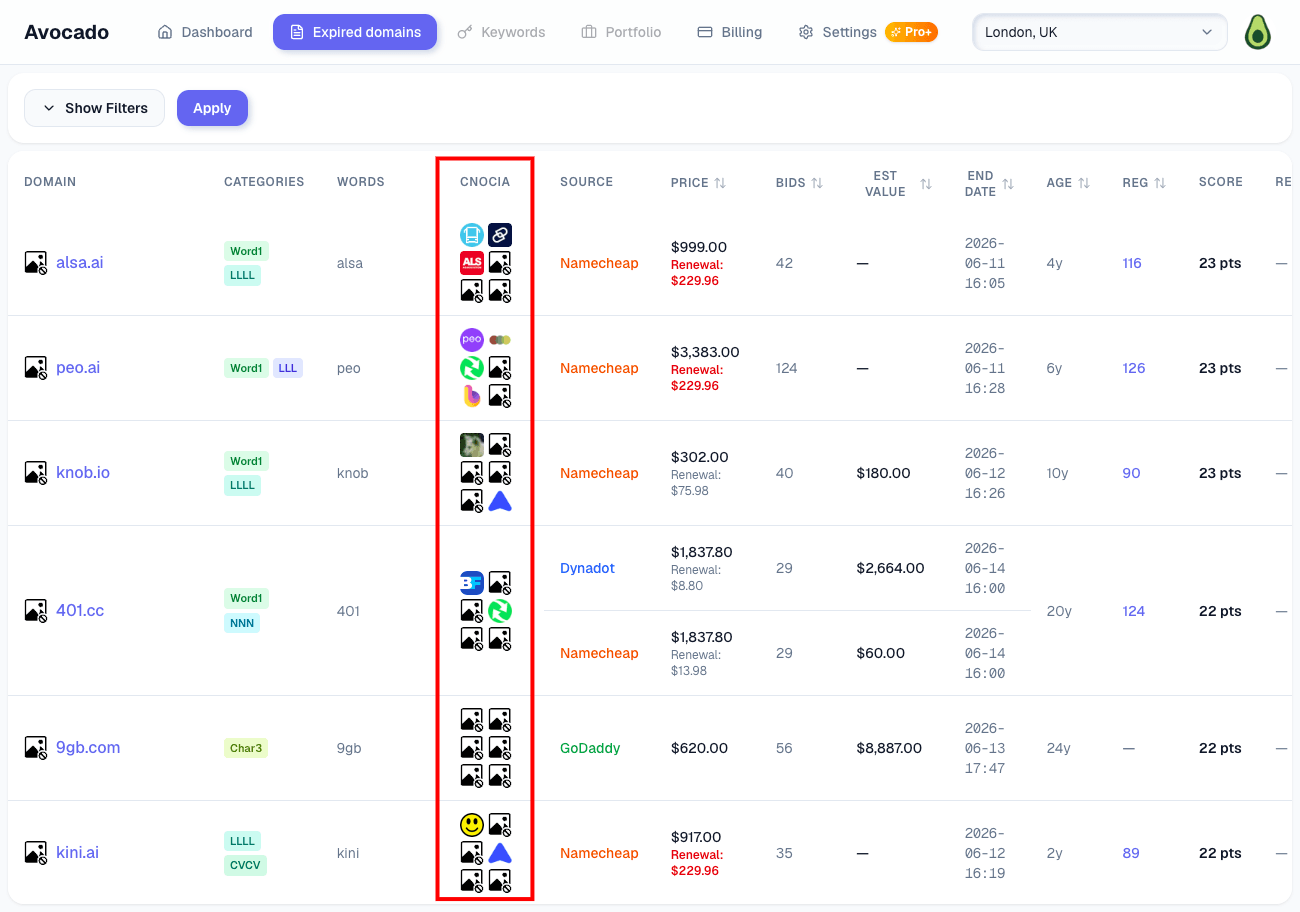
Every domain in our results shows its historical favicon — a small but powerful signal about whether the domain previously hosted a real website or was just parked.
We also display the current favicon (if any) for the major extensions side by side: .com .net .org .co .io .ai
A quick visual scan tells you far more than a text status field ever could. Was it built? Is the .com already taken? Is the .io active? One row, all answered visually.
And here’s something worth keeping in mind: a well-designed favicon doesn’t appear by accident. It means someone invested in branding, built a real product, and ran a real business on that name. That’s a signal about the domain’s history that no amount of text metadata can fully replace.
Custom Links: Connect Your Own Data
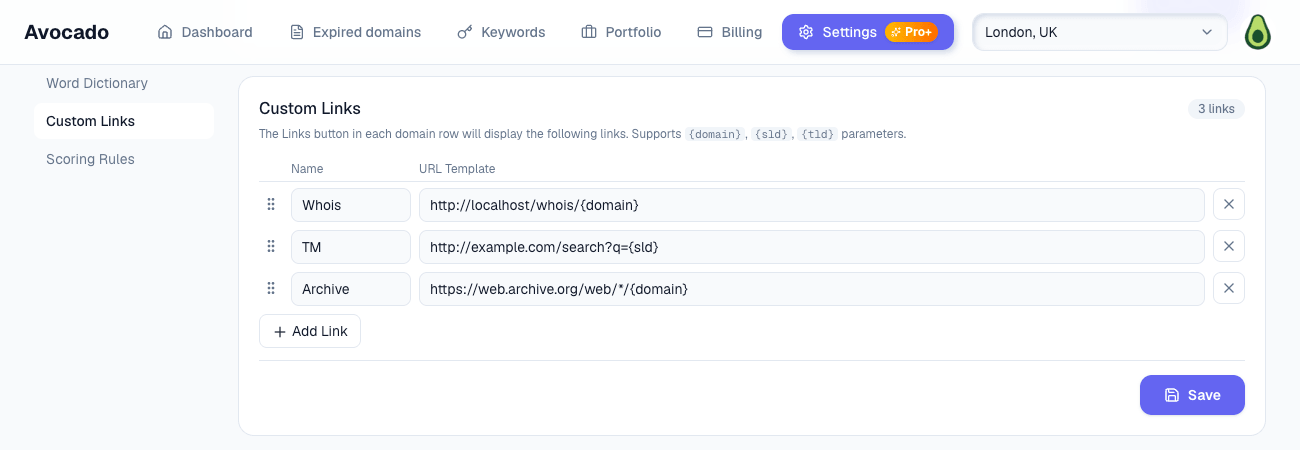
Our platform covers a solid range of domain data, but we know it won’t be everything for everyone. Maybe you track metrics we don’t provide. Maybe you’ve built your own WHOIS lookup, a local comparables database, or a proprietary scoring system over the years. You shouldn’t have to leave your workflow just because a tool doesn’t cover every angle.
That’s why we support custom link templates with three variables:
{domain}— full domain name (e.g.example.com){sld}— second-level domain (e.g.example){tld}— extension (e.g.com)
Set up links like:
https://localhost/whois/{domain}https://example.com/company/{sld}
One click per domain, straight into your own tools. Your external data, your local databases — all reachable without breaking your research flow.
How It Compares
Most domain research tools give you a fixed set of filters. We give you a programmable scoring layer on top of real auction data. The difference is that your keyword list and your rules determine what rises to the top — not ours.
Try It Free
Free tier includes 1,000 keywords and the batch generator — no credit card needed. Upgrade when you’re ready to unlock scoring, custom dictionaries, and the full ranked domain view.
We’re still actively building. There’s more to explore once you’re inside, and we genuinely want feedback — what’s missing, what’s confusing, what would make this fit your workflow better. Drop a comment or reach out directly.
Thanks for reading.
Cover photo via Unsplash.